
Free typing converter
WPM to KPH Converter
Convert words per minute and keystrokes per hour instantly, with a formula you can adjust to match any typing standard.
Edit either speed field to convert in both directions. Your setting stays local to this browser while you compare different typing-test rules.
Understand your WPM to KPH typing speed
Use this quick conversion to compare typing-test results, match data-entry requirements, and set an accurate practice target.
WPM and KPH are two useful ways to report the same typing pace. Use this converter after a typing speed test to translate your result for a job listing, classroom target, or another platform. If you have a completed sample instead of a score, the WPM Calculator can calculate your speed first.
How does WPM convert to KPH?
Words per minute measures standard words typed in one minute. Keystrokes per hour estimates how many characters you type in 60 minutes. The common convention treats one word as five characters, including spaces, on average. That makes the standard formula KPH = WPM × 5 × 60, or simply WPM × 300. A 50 WPM score equals 15,000 KPH.
For job requirements
Some data-entry and transcription roles list a KPH threshold. Convert your familiar WPM result before applying, then check the employer’s precise definition.
For practice goals
WPM is easy to compare, while KPH makes sustained output concrete. Use either unit to choose a small, accuracy-first goal.
How to use this KPH converter?
- Enter WPM to see KPH, or enter KPH to calculate WPM.
- Keep five characters per word for the common typing-test standard.
- Change the setting only when a test or employer uses another rule.
- Copy the result for your application, worksheet, or progress log.
How to convert WPM to KPH at a glance?
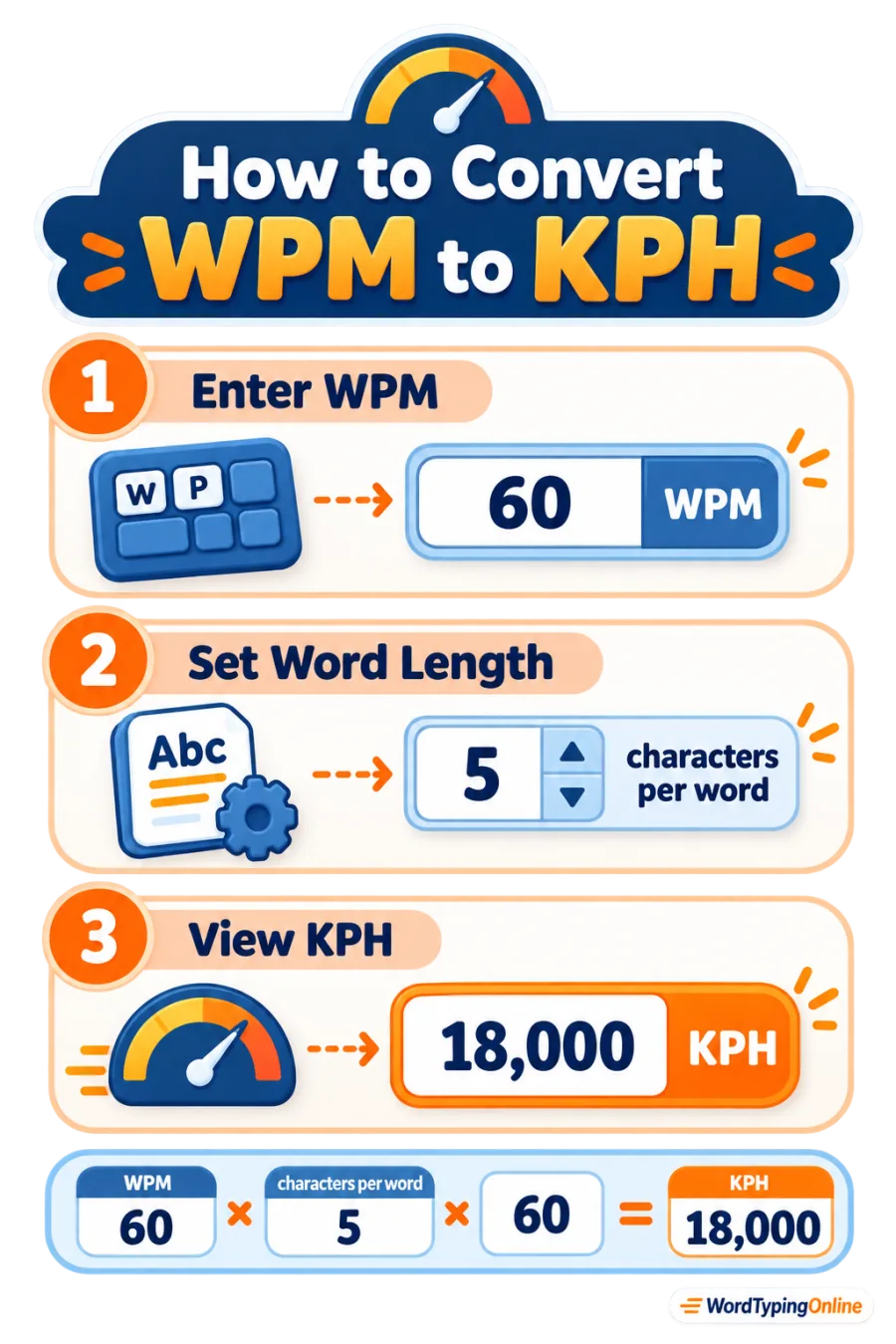
Why does the word-length setting matter?
A WPM number is an estimate built from a character convention, not a literal count of every full word typed. Five characters per word gives consistent comparisons across different texts. A platform using six characters per word will show a different WPM result for the same keystroke pace; this tool makes that assumption visible.
KPH, CPM, and WPM
KPH is an hourly view of character output. CPM shows the per-minute value, and WPM groups characters into standard words. At five characters per word, 50 WPM equals 250 CPM and 15,000 KPH. For a detailed comparison, use our WPM ↔ CPM Converter; for hands-on skill building, continue with typing practice or typing lessons.
Frequently asked questions
How do I convert WPM to KPH?
Multiply WPM by 60 and by the characters-per-word setting. With five characters per word, multiply WPM by 300.
How do I convert KPH to WPM?
Divide KPH by 60 and then by the characters-per-word setting. With the standard rule, divide KPH by 300.
Why is 1 WPM equal to 300 KPH?
The common standard uses five characters per word and 60 minutes in an hour: 5 × 60 = 300.
Does KPH include spaces?
Usually, yes. The five-character standard includes spaces on average, although an employer may set a different definition.
Can I use a different word length?
Yes. Change the characters-per-word input to match the rule used by the score or requirement you are comparing.
Is KPH the same as CPM?
No. KPH is characters or keystrokes per hour; CPM is the per-minute value. KPH is CPM multiplied by 60.
What is a good typing KPH?
A good target depends on the role, text, and accuracy requirement. First establish a consistent baseline, then improve steadily without sacrificing accuracy.
Ready to turn your score into progress?
Check your current typing speed, practise with purpose, and use the right typing metric to set a confident next goal.
Take a typing test · Start typing practice · Explore typing lessons · Browse all typing tools