
Typing speed converter
WPM CPM Converter
Convert gross and net typing speed with a clear character and error assumption.
Live conversion
Convert typing speed accurately
Edit WPM or CPM to convert in either direction. Errors adjust the net result without changing gross speed.
Convert typing speed with the right context
WPM (words per minute) and CPM (characters per minute) describe the same typing pace at different levels of detail. This calculator converts both directions and shows how an error penalty changes the net result. Start with a free typing speed test to collect a fresh score, then use the WPM Calculator when you have a completed sample and its duration. A conversion is most useful when you also know the word-length rule and whether the reported score is gross or net.
What is a WPM to CPM conversion?
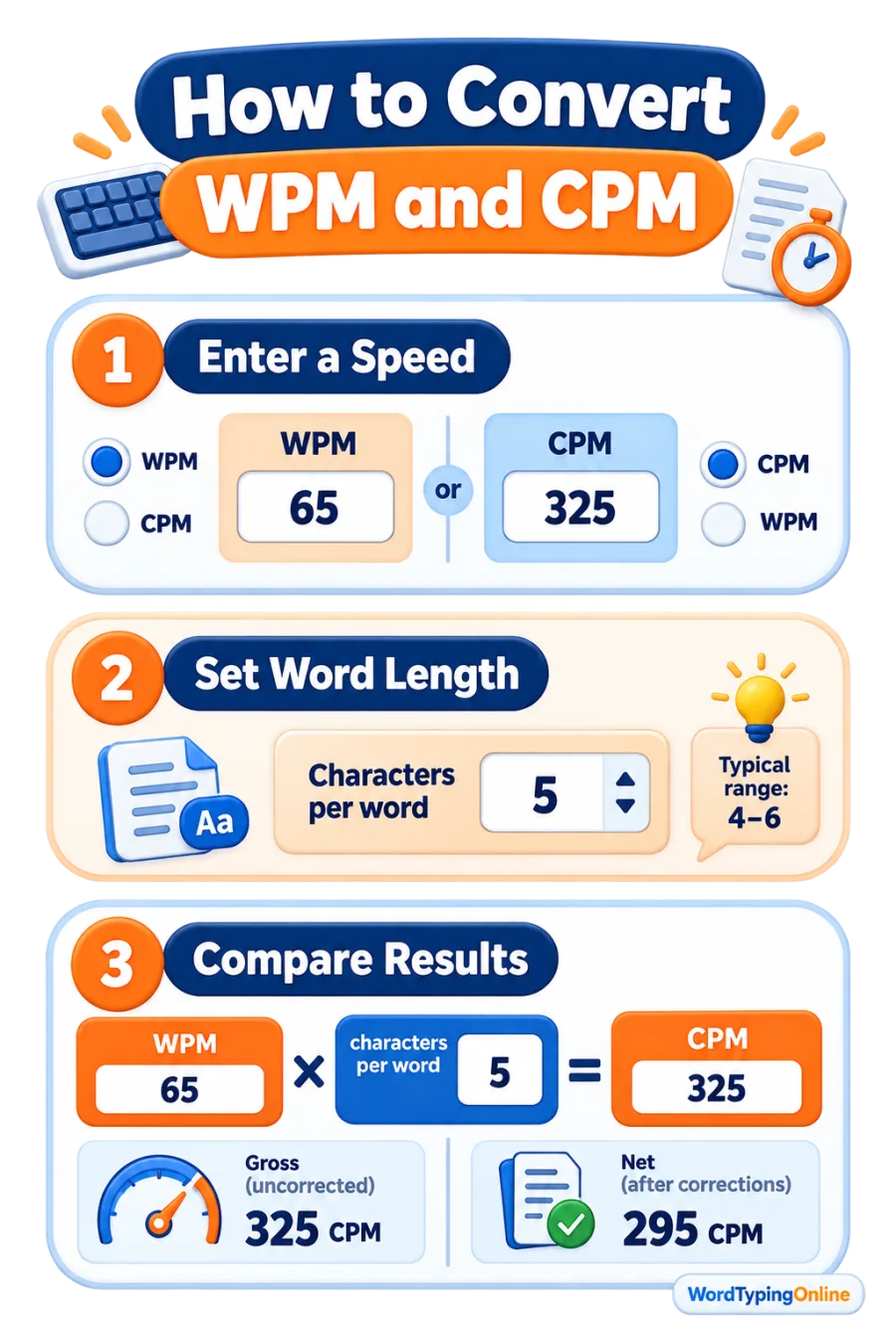
WPM reports how many standard words you type in one minute. CPM reports how many characters you type in one minute. Many typing tests use a standard word length of five characters, including spaces, on average. Under that convention, the core formula is simple: CPM = WPM × characters per word. The reverse formula is WPM = CPM ÷ characters per word. For example, 60 WPM at five characters per word converts to 300 CPM.
The five-character convention is a comparison rule, not a statement that every word is exactly five letters long. A passage with punctuation, long technical words, short words, or a different scoring system can produce a different relationship. That is why this converter leaves the characters-per-word field editable.
Gross speed, net speed, and errors
Gross typing speed
Gross WPM and gross CPM describe the total pace before an error penalty. They are useful for studying raw keystroke pace or comparing a single test method over time.
Net typing speed
Net WPM and net CPM reduce the gross score by the errors-per-minute value. Net speed is usually the better progress measure because fast typing only helps when the text remains accurate.
This page uses a transparent model: net WPM equals gross WPM minus errors per minute; net CPM applies the same penalty in characters using your selected word length. Other tests may score corrections and mistakes differently, so compare results only when the scoring rules match.
How to use the WPM ↔ CPM Converter?
- Enter a WPM value to calculate CPM, or enter CPM to calculate WPM.
- Set characters per word to match the method used by your original typing test; five is the common benchmark.
- Add the average number of uncorrected errors per minute to view a practical net result.
- Repeat the same test under similar conditions before deciding that a new keyboard, browser, or practice routine changed your speed.
For an accurate starting measurement, take the home-page test more than once and use the typical result rather than one unusually fast or slow attempt. If results feel inconsistent, confirm each key responds with the Keyboard Tester before changing your practice target.
How to convert WPM and CPM at a glance?
When WPM and CPM are useful?
WPM is the familiar goal for learners, classrooms, hiring benchmarks, and everyday productivity. CPM is more precise for analysing short tests or comparing layouts where character volume matters. Students can use either unit to set a realistic target; teachers can explain the conversion when different programs report different units; professionals can use net WPM to balance speed with accurate work. The converter is also useful when moving a score between platforms that use different labels.
Do not treat a converted result as a diagnosis of typing skill on its own. Duration, copy text difficulty, correction rules, keyboard layout, and accuracy all affect what a score means. Consistent sessions with typing practice and structured typing lessons are more reliable indicators of progress than a single headline number.
Tips for a meaningful speed comparison
- Use the same language, keyboard layout, and test length when comparing two scores.
- Record gross and net speed separately so an accuracy improvement does not disappear behind one number.
- Keep the characters-per-word setting visible in notes or class reports.
- Use a few attempts and choose the median or usual result instead of celebrating one outlier.
- Practise accuracy first; lower error rates make a higher net speed sustainable.
Once you know your baseline, make repetition more engaging with a short round of Turbo Type Rally or explore the full typing games library. Games are a useful complement to deliberate drills, while a timed test remains the clearest way to measure WPM and CPM progress.
Frequently asked questions
How do I convert WPM to CPM?
Multiply WPM by the characters-per-word setting. At the common five-character setting, 60 WPM equals 300 CPM.
How do I convert CPM to WPM?
Divide CPM by the characters-per-word setting. At five characters per word, 300 CPM equals 60 WPM.
Does the five-character rule include spaces?
It is a conventional average that includes spaces in many typing-test systems. Change the setting when your original test documents a different method.
What is net WPM?
Net WPM is the gross WPM adjusted downward by the error penalty used for the result.
Why do two typing tests show different WPM?
They can use different word-length assumptions, passages, durations, punctuation rules, correction rules, or error penalties.
Is CPM more accurate than WPM?
CPM is more granular because it counts characters, but neither measure is automatically better. Use the unit that matches your test and comparison goal.
What should I do after converting my speed?
Take a consistent live test, identify whether accuracy or pace needs attention, and follow it with targeted practice or lessons.
Ready to turn your score into progress?
Measure your current pace, practise accurate technique, and use enjoyable challenges to make your next WPM and CPM result more dependable.
Take a free typing test · Start typing practice · Browse typing lessons · Play typing games