
Keystroke activity tracker
Keyboard Counter
Count every browser key press, see your live key activity, and keep the whole session private.
Live keystroke session
0 key presses
Use this for practice volume, key-switch checks, or comparing the keystroke demand of different tasks.
Recent key activity
0 events- Your recent local key events will appear here.
What’s new in Keyboard Counter?
Keyboard Counter tracks local key presses, unique keys, most-used key, key rate, held keys, and recent activity. Use Keyboard Tester to check a suspect key first, or begin a timed typing speed test when you are ready to measure actual performance.
What is a keyboard counter?
A keyboard counter records each keydown event received by the browser during the current session. It is useful for seeing typing volume, testing whether a key adds unexpected extra events, and comparing the key demand of similar tasks. The counter stays local unless you choose to export your own report.
How to use Keyboard Counter at a glance?
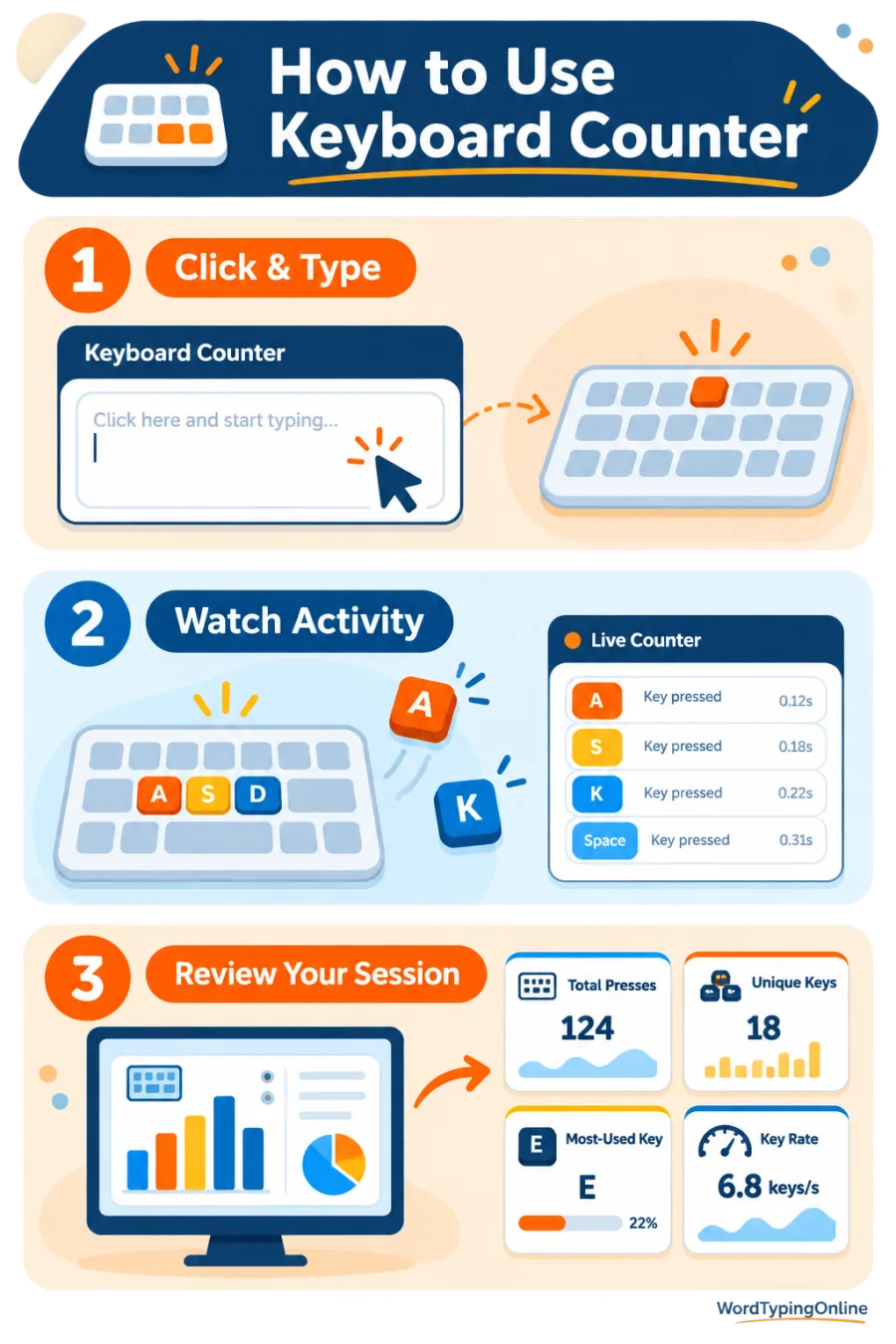
Useful session measures
Total presses show volume; unique keys show keyboard coverage; key rate shows activity over time; and most-used key can reveal how a task is structured.
What the count cannot prove?
A high total does not prove speed, quality, or ergonomic risk. It is a practical signal to combine with accuracy, breaks, and comfortable technique.
Who should use Keyboard Counter?
Writers, students, coders, data-entry workers, teachers, and gamers can use it to understand keyboard activity. It is especially helpful when checking whether a mechanical key double-registers during slow, deliberate presses.
How to use the counter well?
Click the panel, work normally for a short session, and compare similar tasks under similar conditions. Reset before a new task. If one key produces unexpected extra events, test it slowly and then use the Keyboard Latency Test to examine browser feedback consistency.
Tips for healthier, more accurate practice
Use the count as a reminder to take breaks during long sessions, keep wrists comfortable, and choose accuracy over uncontrolled speed. Guided typing lessons help build technique that reduces unnecessary corrections and repeated keystrokes.
Put your keyboard activity into practice
After counting a session, use typing practice to work on steady rhythm and fewer errors. A count is most meaningful when it supports a real improvement goal rather than becoming the goal itself.
Games that reward clean input
Letter Rain is a quick way to practise recognition and controlled responses. Later, visit the games hub for Balloon Burst, Falling Words, Turbo Type Rally, Carnival Shooter, Space Typing Shooter, Whack-a-Mole, Word Memory, and Maze Word Defense.
Frequently asked questions
What does Keyboard Counter count?
It counts keydown events received by your browser during the local session.
Do held keys count more than once?
Yes. Operating-system repeat events can add more counts while a key is held.
Does it save what I type?
No. Data stays in your browser unless you export your own report.
Can it help find a chattering switch?
Slow, deliberate presses that create unexpected extra counts can be a useful warning sign.
What is key rate?
It is the average count per minute for the active session.
Why track unique keys?
It shows how broadly your task used the keyboard.
What should I do after counting?
Take the homepage typing test, then practise accuracy and technique consistently.
Ready to test your typing speed?
Put your keystroke activity to work by measuring speed, refining technique, and making regular practice more accurate, comfortable, and engaging.
Test your typing speed · Start typing practice · Try typing lessons · Play typing games