
TYPING TOOLS
Typing Tools
Simple, focused tools to practise typing, learn keyboard skills, and measure your progress one session at a time.
Typing Practice
Build accuracy, rhythm, and confidence with focused word, sentence, and paragraph drills.
Open practice →Typing Lessons
Learn keyboard skills step by step, complete drills, and unlock the next lesson as you improve.
View lessons →WPM Calculator
Calculate words per minute, characters per minute, and a clear typing-speed benchmark.
Calculate WPM →Keyboard Tester
Press each key to confirm it registers correctly and review a private, local event log.
Test keyboard →Polling Rate Test
Measure repeated key-event timing, view a live Hz estimate, and export a private local report.
Measure key rate →Keyboard Latency Test
Measure browser key-to-screen feedback timing, compare samples, and export a private latency report.
Test latency →Keyboard Counter
Count local key presses, key activity, and session volume in real time.
Count key presses →Keyboard Switch Tester
Inspect key press and release events, compare switch behaviour, and spot possible double registration.
Test switches →Keyboard Rollover Test
Hold multiple keys together, inspect the recognized chord, and see the maximum simultaneous keys your browser receives.
Test rollover →WPM ↔ CPM Converter
Convert WPM and CPM in both directions, including gross speed, error penalties, and net typing speed.
Convert speed →WPM ↔ KPH Converter
Convert WPM and keystrokes per hour instantly, adjust the word-length rule, and copy a clear result.
Convert WPM & KPH →KPH Calculator
Calculate gross and accuracy-adjusted KPH from a typing sample, then compare WPM, CPM, and accuracy.
Calculate KPH →CPM Calculator
Calculate gross and net characters per minute, then compare WPM, KPH, and character-level typing output.
Calculate CPM →Build stronger typing skills with focused online tools
WordTypingOnline brings practice, lessons, and typing-speed calculation into one simple place. Choose the tool that matches your current goal, work in short, repeatable sessions, and use the feedback to build comfortable speed without sacrificing accuracy.
Quick facts
- Free tools for practice, guided learning, and speed measurement
- Designed for beginners through developing typists
- Works in modern desktop, tablet, and mobile browsers
Who are these tools for?
Students, teachers, job seekers, office workers, and anyone building keyboard confidence can use these tools. Start with the option that feels manageable, then increase the challenge gradually.
What can you do with these typing tools?
Each tool focuses on a different part of typing improvement. Typing Practice helps you repeat words, sentences, paragraphs, numbers, and punctuation. Typing Lessons guide you through useful keyboard patterns step by step. The WPM Calculator turns a completed sample into a clear words-per-minute and characters-per-minute estimate.
Find the right typing tool for your next step
Start with the goal you want to improve, use the matching tool for a short, focused session, and let speed, accuracy, or keyboard feedback guide what you practise next.
Choose the right tool for your goal
Improve accuracy and rhythm
Use Typing Practice for focused drills. Start with short word sets, then move to sentences or longer text as your control improves.
Learn keyboard skills step by step
Use Typing Lessons to build familiarity with the keyboard in a clear sequence and unlock the next exercise as you progress.
Measure your typing speed
Use the WPM Calculator when you know the number of characters typed and the time taken.
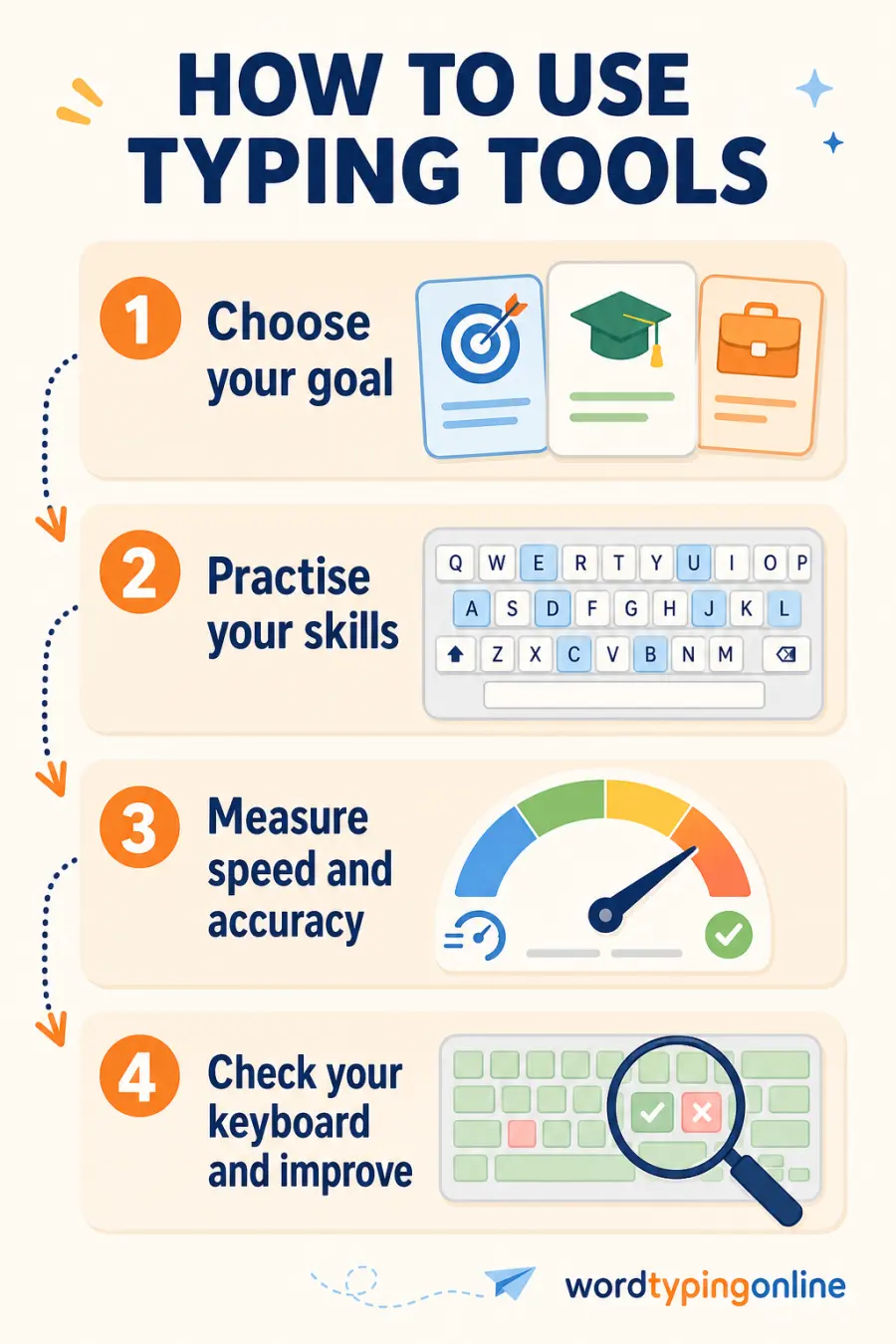
How to use the tools for steady progress?
- Choose one small goal, such as fewer mistakes, smoother rhythm, or a slightly higher WPM.
- Practise for a short session while keeping accuracy comfortable.
- Use lessons when a particular key pattern still feels unfamiliar.
- Measure progress over time with the same type and length of typing sample.
- Repeat regularly and increase difficulty only when your current level feels controlled.
Frequently asked questions
Are these typing tools free?
Yes. You can use the typing practice, lessons, and WPM calculator for free in a supported web browser.
Which tool should a beginner start with?
Start with Typing Lessons if you are learning key positions, or Typing Practice if you already know the keyboard and want short accuracy-focused drills.
How can I measure my typing speed?
Use the WPM Calculator after a completed typing sample, or take the live typing test for speed, accuracy, and error feedback while you type.
Can I use these tools on a phone or tablet?
Yes. The tools support modern mobile browsers, although a physical keyboard is often more comfortable for longer practice.
Ready to practise?
Choose a tool for your next small step, then return often to make accurate typing feel easier and faster.
Start typing practice · Try typing lessons · Calculate WPM · Take a typing test